 TokenAnnihilator.exe — Details
Token Annihilator Dashboard
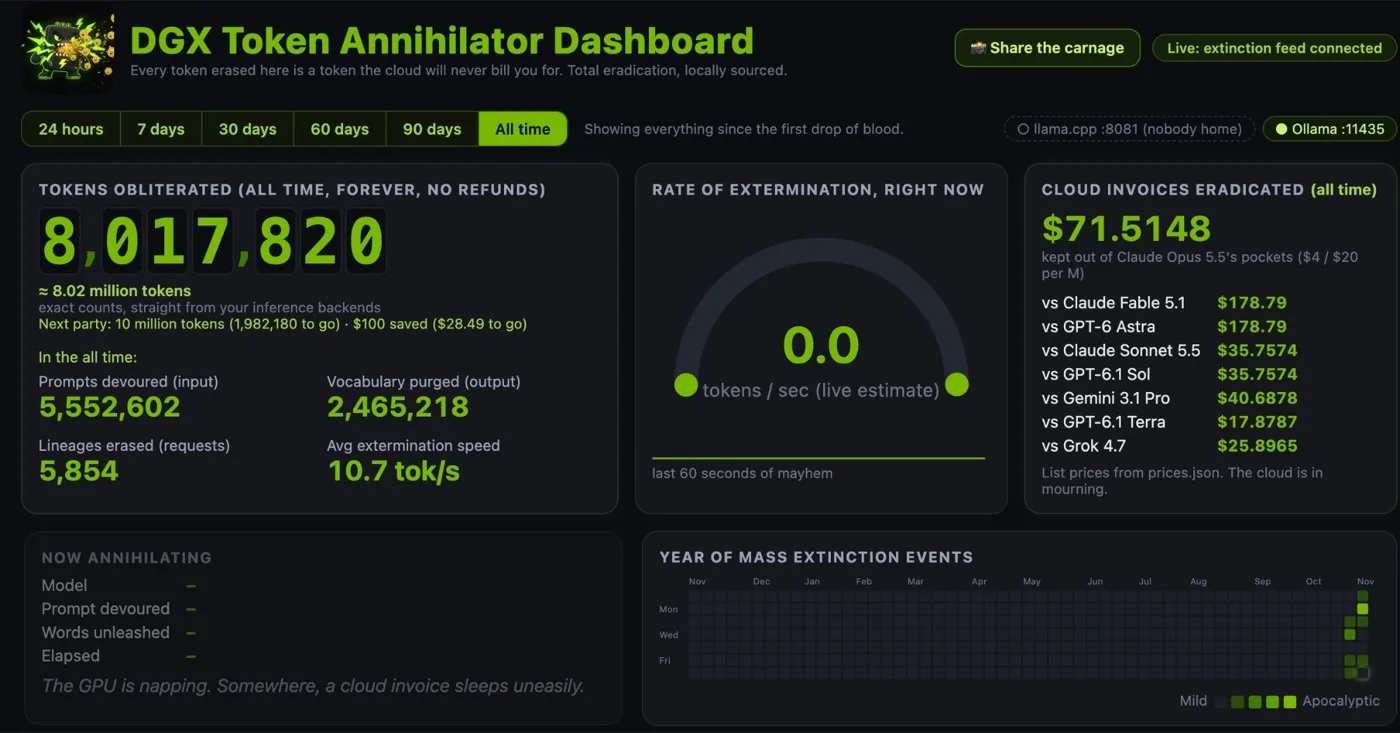
Your local GPU is out there running tokens that a cloud provider would have happily billed you for. This keeps score, with maximum drama: a live odometer, a model leaderboard, 27 trophies, and a running total of the cloud invoices you never paid.
Free · Open source (MIT) · One Python 3.8+ file, no dependencies · Built on an NVIDIA DGX Spark
A side project for local-AI nerds. Everything else on this site is for medicine. This one isn't. It's for anyone running models on their own hardware who wants to see the numbers. No patient data goes anywhere near it.
Install
Beta · version 1.0.10 · free · MIT license
The Token Annihilator is in beta.
It works, but expect rough edges. It's one Python file with nothing to pip install. Built and tested on Linux (a DGX Spark).
Try it in the foreground first:
git clone https://github.com/SaltShaker87/token-annihilation-dashboard ~/token-annihilation-dashboard
cd ~/token-annihilation-dashboard
python3 token_annihilator.py
Then open http://<your-tailscale-ip>:11480. It binds to your Tailscale IP if tailscale is installed, otherwise 127.0.0.1:11480.
To keep it running, install it as a systemd user service (no sudo). If you use vLLM, or llama-server logs somewhere other than the default, edit the Environment= lines in the unit file first:
mkdir -p ~/.config/systemd/user
cp token-annihilator.service ~/.config/systemd/user/
systemctl --user daemon-reload
systemctl --user enable --now token-annihilator
loginctl enable-linger "$USER"   # keep running after logout
Source and full README on GitHub · Releases · Report a bug on Discord
Why?
Running models on your own hardware feels free, and in a way it is: no per-token bill. But it's easy to forget how much work that GPU is doing. The Token Annihilator counts every token your local models use and prices it against what Claude, GPT, Gemini and Grok would have charged for the same work.
It's also an excuse to celebrate. Hitting 10 million tokens gets a full-screen party with confetti.
How It Works
Point
Point your client at the counting proxy (Ollama on :11435 instead of :11434). llama.cpp needs no change; its log is read directly.
Run
Use your models like normal. The proxy forwards each request and reads the token count on the way back.
Gloat
Open the dashboard on :11480 and watch the odometer roll.
Supported backends
| Backend | How it's counted |
|---|---|
| Ollama | Proxy on :11435 in front of :11434. On by default. |
| vLLM | Proxy on :8001 opens automatically once vLLM answers on :8000. |
| llama.cpp | Reads llama-server's log file. Never connects to the server. |
| NVIDIA NIM / NeMo, TensorRT-LLM, Triton, SGLang, LM Studio, ONNX Runtime | Any OpenAI-compatible server, listed in OPENAI_PROXIES. |
Your inference servers are never modified. Everything fails open: if counting breaks, your request still goes through. If the dashboard dies, point your client back at the real port and carry on.
Screenshots
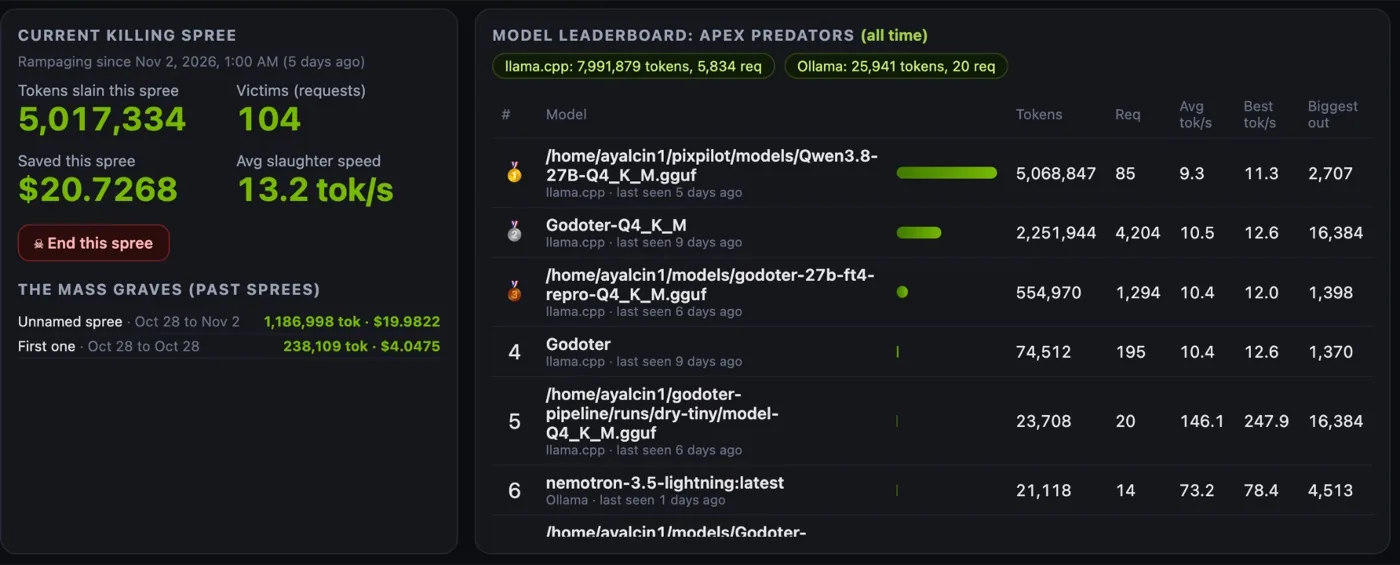
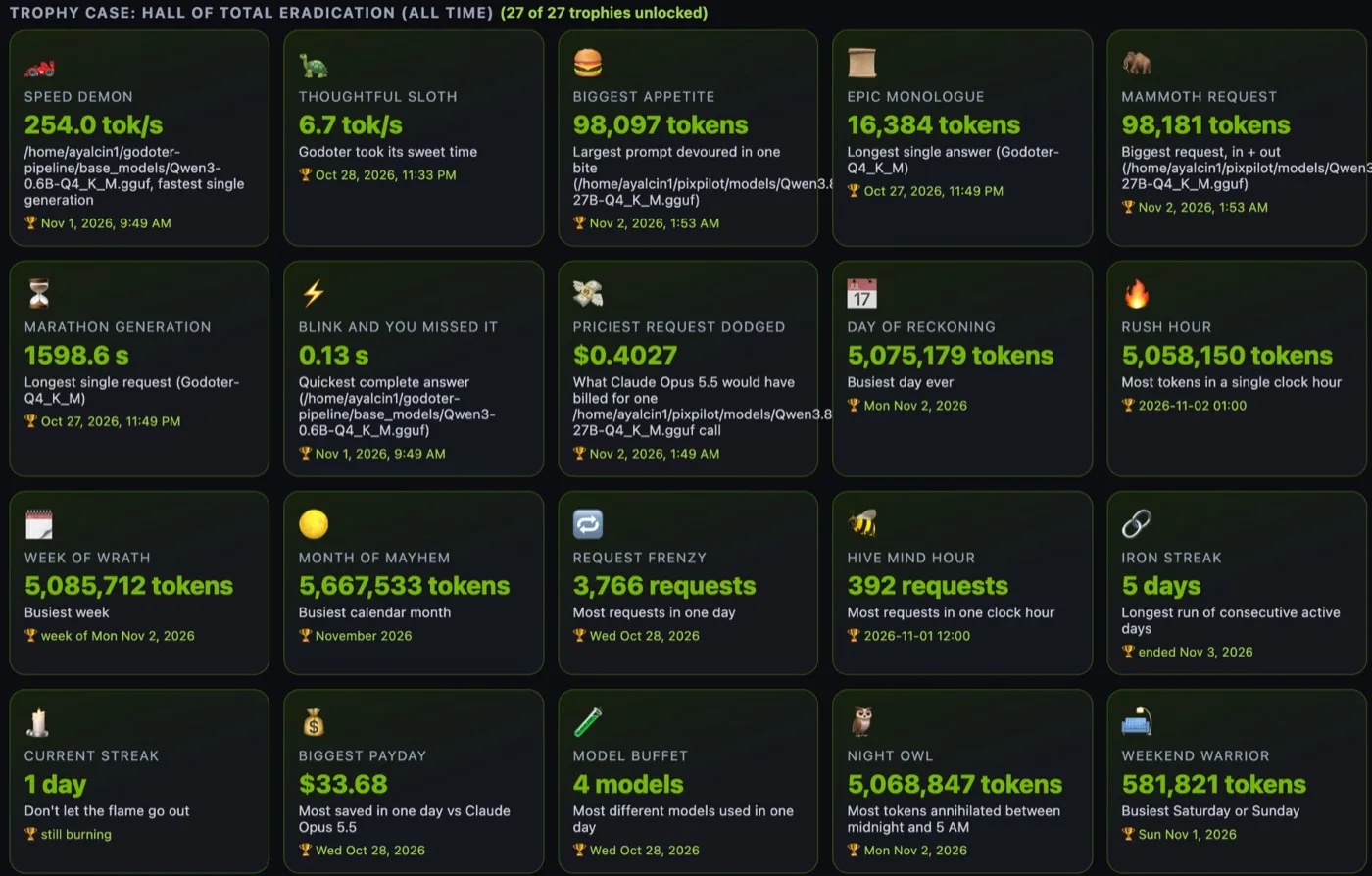
From a real DGX Spark, a few weeks in.
Features
Live Odometer
An all-time count of tokens obliterated that never resets, plus a live tokens-per-second gauge and a "Now annihilating" card.
Cloud Invoices Eradicated
What the same tokens would have cost on Claude Opus 5.5, Fable 5.1, Sonnet 5.5, GPT-6, Gemini 3.1 Pro and Grok 4.7. Prices live in an editable prices.json.
Model Leaderboard
The apex predators: tokens, requests, average and best speed, and biggest single answer for every model you run.
27 Trophies
Personal records like Speed Demon, Night Owl, Week of Wrath and Iron Streak.
Milestone Parties
Full-screen celebrations with confetti at 1M and 10M tokens, every 100M, every 1B, and every $100 saved.
Killing Sprees
Track a run of work, end it when you like, and past sprees rest in "the mass graves". Nothing is ever deleted.
Share Card
Make a 1200×630 image of your stats to download, copy, or share from your phone.
One-Click Updates
An Update button checks GitHub when you open the page. It only installs official releases, refuses to overwrite your edits, and keeps a backup.
Year Calendar
A GitHub-style calendar of tokens per day for the last year, in NVIDIA green. Filter everything by 24 hours up to all time.
About the savings. The dollar amounts are estimates from public list prices (checked 2026-10-28, sources in prices.json). They don't count your electricity or your hardware. They're for bragging, not for accounting.
What You'll Need
- Linux with Python 3.8 or newer. Built on an NVIDIA DGX Spark, but it's plain Python with no dependencies.
- At least one local model runtime: Ollama, vLLM, llama.cpp, or any OpenAI-compatible server.
- Optional: Tailscale, so you can check the dashboard from your phone.