 Scrubboard.exe — Details
Scrubboard: Copy Without Patient Info
Copy part of a note, click once, and paste it without the patient's name, birthday, record number or phone number. The diagnoses and medications stay, so the text is still useful. Everything happens on your own computer.
Free · Windows 10 or 11 (.exe) / macOS 12 or newer, Apple silicon (.pkg) / Ubuntu 22.04 or newer (.deb)
Download
Beta · version 0.1 · free
Scrubboard is in beta.
It works, but expect rough edges. Each download is about 350–500 MB, because the detector is included.
Why Scrubboard?
AI assistants are one click away now, and some are offered to clinicians for free. That makes it very easy to paste part of a patient note into one and share protected health information (PHI) by accident.
Scrubboard adds one safety step. You copy the text, Scrubboard cleans it, and then you paste. It works for AI tools, emails, teaching slides, or anywhere else you'd rather not have a patient's details.
How It Works
Copy
Select the text and copy it the way you always do.
Clean
Click the Scrubboard icon. In a second or two, a message tells you how many details it removed.
Paste & read
Paste where you want it. Read it before you send it.
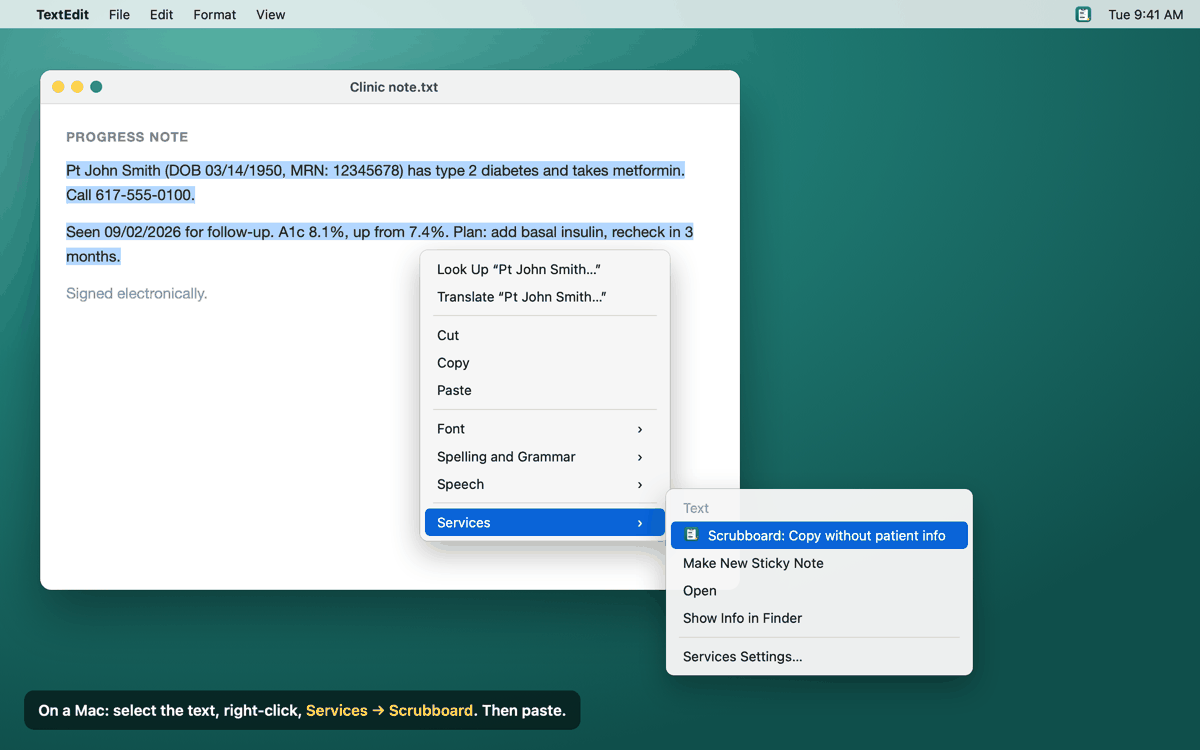
- Mac: right-click the selected text and choose Services → Scrubboard: Copy without patient info. Or copy as usual and use the icon in the menu bar at the top of the screen.
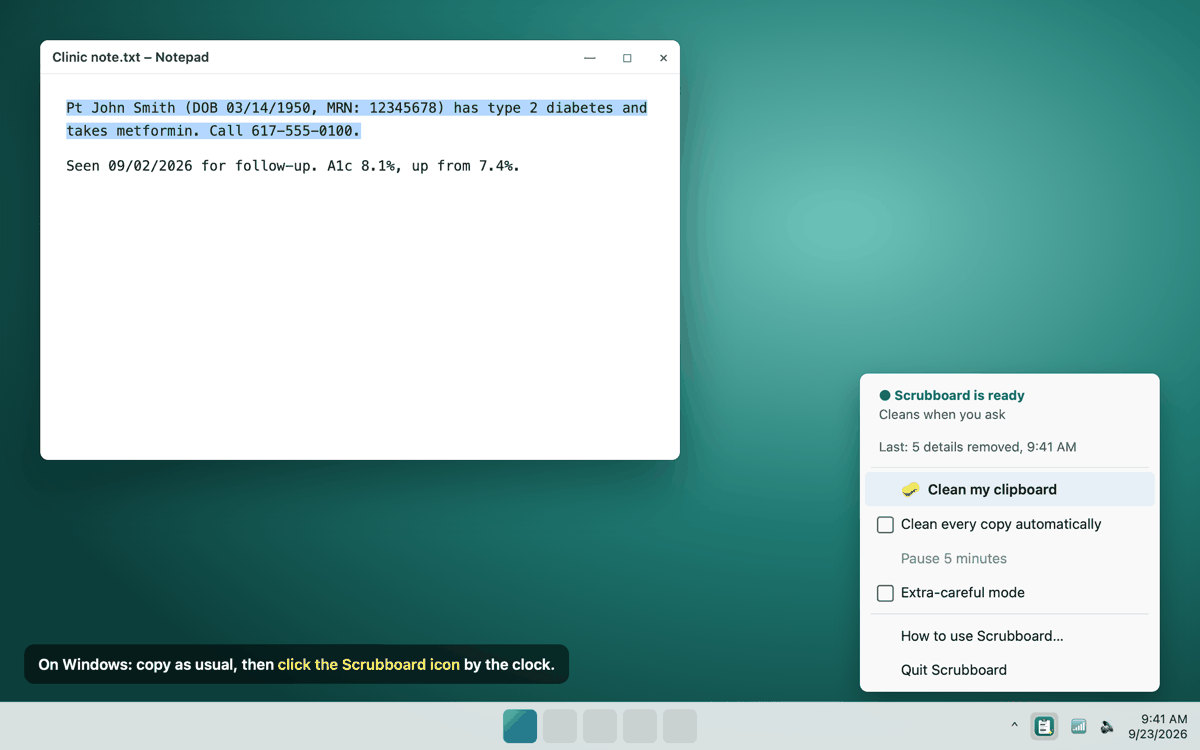
- Windows: click the Scrubboard icon next to the clock, bottom right. If you can't see it, click the small ^ arrow there.
- Ubuntu: click the icon in the top bar and choose Clean my clipboard.
If you'd rather not click at all, turn on Clean every copy automatically and everything you copy gets cleaned. It's off by default, so Scrubboard only touches your text when you ask it to.
A real example
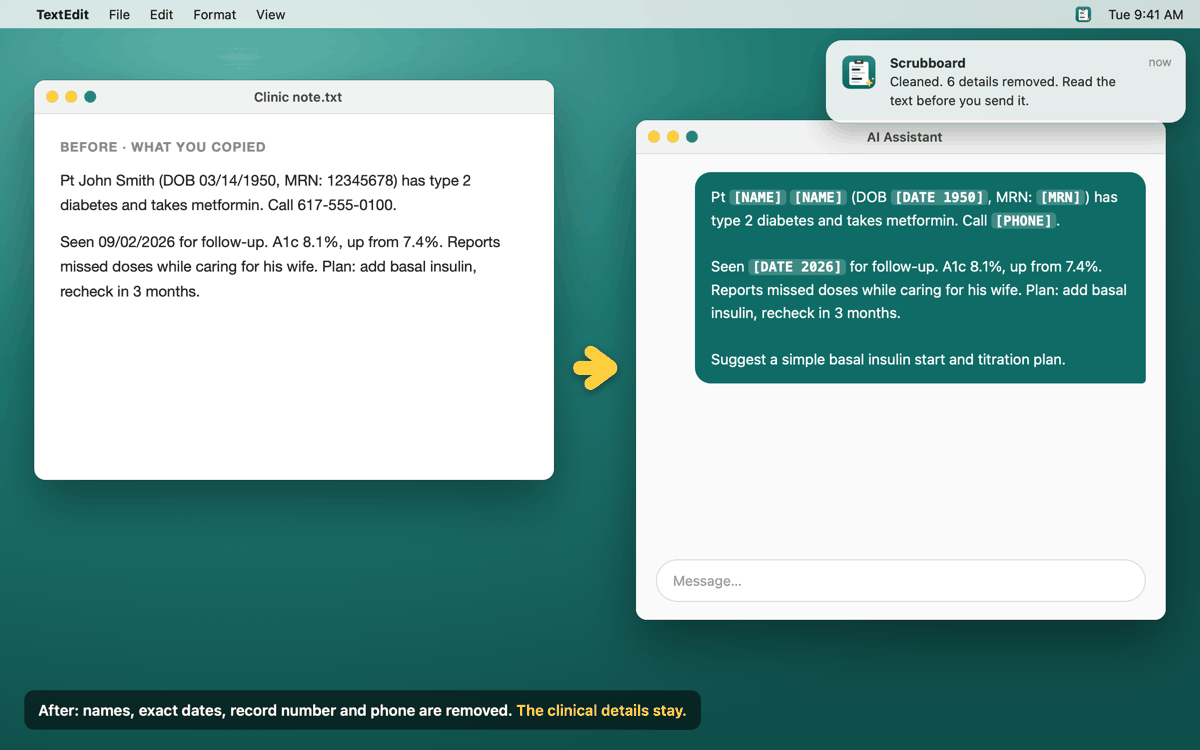
Pt John Smith (DOB 03/14/1950, MRN: 12345678) has type 2 diabetes and takes metformin. Call 617-555-0100.
Pt [NAME] [NAME] (DOB [DATE 1950], MRN: [MRN]) has type 2 diabetes and takes metformin. Call [PHONE].
This is what Scrubboard's built-in detector actually produces for this sentence. (The patient is made up.)
Screenshots
Previews: Scrubboard is still being built, and the final app may look a little different.
What It Removes, What It Keeps
Scrubboard follows the checklist in the HIPAA "Safe Harbor" rule: the 18 kinds of details that can point to a specific person.
Removed or shortened
- Names
- Street addresses
- Phone and fax numbers, email addresses
- Record numbers (MRN), Social Security, insurance and account numbers
- License plates, device serial numbers, web and IP addresses
- Dates keep only the year: 03/14/2024 becomes
[DATE 2024] - Ages over 89 become
[AGE 90+] - ZIP codes keep only their first 3 digits
Kept
- Diagnoses and problems
- Medications and doses
- Procedures, labs and vitals
- Ages up to 89
- State and country
Features
Stays on Your Computer
Your text is cleaned right on your own computer. Nothing is sent anywhere, there's no account, and nothing you copy is saved.
Works Offline
The detector comes inside the installer, so Scrubboard works with no internet at all.
Only When You Ask
By default Scrubboard does nothing until you click. Automatic cleaning of every copy is there if you want it.
Fails Safe
If cleaning ever goes wrong, you get a "cleaning failed" message, never the original text. If the detector is missing, the icon turns red instead of quietly doing a worse job.
Leaves Passwords Alone
It skips anything copied from a password manager, and you can tell it to ignore apps like your EHR.
Extra-Careful Mode
Optional: a second, smarter check that also runs on your computer. Slower, but catches more of the tricky cases.
Runs on a Normal Laptop
Built for an ordinary 8 GB work laptop. No special graphics card needed.
Free & Open Source
Free for everyone under the MIT License. Your IT team will be able to read every line of the code.
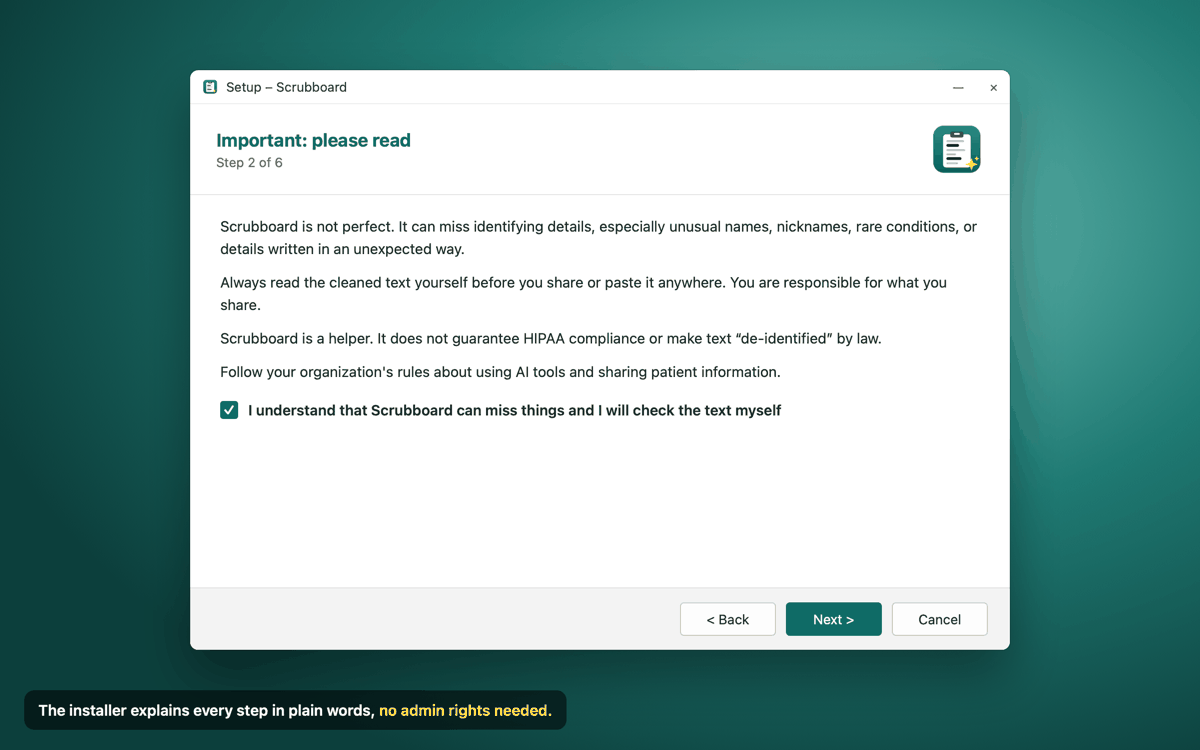
Important: please read. Scrubboard is a helper, not a guarantee. It can miss details, especially unusual names, nicknames, rare conditions, or things written in an unexpected way. Always read the cleaned text before you share it; you're responsible for what you send. Scrubboard does not make text "de-identified" by law or guarantee HIPAA compliance. Follow your organization's rules on AI tools, as some don't allow clinical text in outside AI tools at all, even after cleaning.
What You'll Need
- A regular computer: Windows 10/11, a Mac with Apple silicon (macOS 12 or newer), or Ubuntu 22.04 or newer. 8 GB of memory is enough.
- No internet after installing. Extra-careful mode downloads its model once, only if you turn it on.
- On Windows: Windows' own Clipboard History (Win+V) keeps a copy of everything you copy, before Scrubboard cleans it. The installer offers to turn it off for you.
- Your organization's OK. Check your local policy on AI tools before pasting clinical text anywhere.
How the Installer Works
- Welcome: a short explanation, with the example above.
- Please read: the "Scrubboard can miss things" page. You tick a box to say you'll check the text yourself.
- How to use it on your kind of computer.
- A few choices (Windows): desktop shortcut, start when you sign in, and turning off Clipboard History.
- Done. Scrubboard starts, and its icon appears by the clock or in the menu bar.